June 18
On this last class I added the finishing touches to do game, and wrapped the project.
Like other days I continued following the platform video series on Youtube:
https://www.youtube.com/watch?v=izNXbMdu348&t=301s
But I also looked at this video:
https://www.youtube.com/watch?v=wmnaOLI6RzE
Unlike my original plan, I decided to make it a 1 stage game, where the player tries to kill all the enemies, and reach the chest, but as the score gets higher the game's difficulty increases.
I had an issue with a code, because the Game Maker version of the tutorial was different than mine. Instead of writing (instance_create_layer) to create a bullet, I had to write (instance_create).

Tuesday, 19 June 2018

Monday, 18 June 2018
Final Project - Complete
Final Project Link:
https://drive.google.com/open?id=17nAOoFB7XVJyBt7-r5JilNIzVMdb1hRH
I also created sprite sheets, and backgrounds:
https://drive.google.com/open?id=1S3D50vDWtDmYU4NR7jnAhh7IC2ZdsaQL
https://drive.google.com/open?id=1S76GDV6wzo5-a39XSF7NhDShBKGI6Aov
https://drive.google.com/open?id=1trOTboHAFYgFNs9T1S30HqsmyZJqGwCT
How to play:
By clicking the mouse you can shoot the enemies.
The arrows on the right side of the keyboard
or the buttons (a for left) and (d for right) ( I made two options, to make it easier to control):
allow you to walk and the space bar makes you jump
If you collide into an enemy the game will restart from the current room.
The goal was to shoot the enemies and once all of them were down, the player would win. However I wasn't able to make the code work, I tried many different methods and looked up tutorials on the internet, but nothing fixed the problem. One of the codes I attempted to write was:
if instance_create (x,y, obj_enemyD)
{
score = score + 1
}
if score = 6;
{
game_end();
draw text (x/2, y/2, "Game Win!")
}
Video series I followed:
https://www.youtube.com/watch?v=izNXbMdu348&t=419s
Most of the other tutorials I used were on pixel design, sprite sheet creations and animation:
https://www.youtube.com/watch?v=o_IWUxd1ps4&t=63s
https://www.youtube.com/watch?v=5ZlEHglOVws&t=219s
https://www.youtube.com/watch?v=8x1dh3TDnss&t=8s
https://www.youtube.com/watch?v=GECdvBzkaCs
https://www.youtube.com/watch?v=0boZofzJfME
Transitions:
https://www.youtube.com/watch?v=ySpWZfcwwSQ
This specific tutorial was for cutscenes and animation:
https://www.youtube.com/watch?v=fdqGrX1w1z4
There are many parts of the game where I applied my own ideas, especially the graphics.
I think my project proposal was more complicated than I had expected and would've taken a couple more classes to finish, and I was unable to fully finish it.
But I put a lot of effort into the game and graphics, there were drawings and cut scenes that I had finished but was unable to put into my game, such as the title, where I had made a series of drawings and animations to tell the story of the game. But there were other parts of the game which was able to incorporate into my game.
I drew all of the images, sprites, animations and backgrounds, also created the storyline (which I didn't have time to place into the final product, but is present in the sprite and object tabs), and wrote some code by myself, such as adding music, player's life, and having the game restart once the player collided with enemies.
Since I wasn't able to completely finish the game, I hope you are able to mark my game focusing more on the graphics and process, instead of the gameplay and the final product.
20 -graphics and art
10- coding
10- debugging and efforts
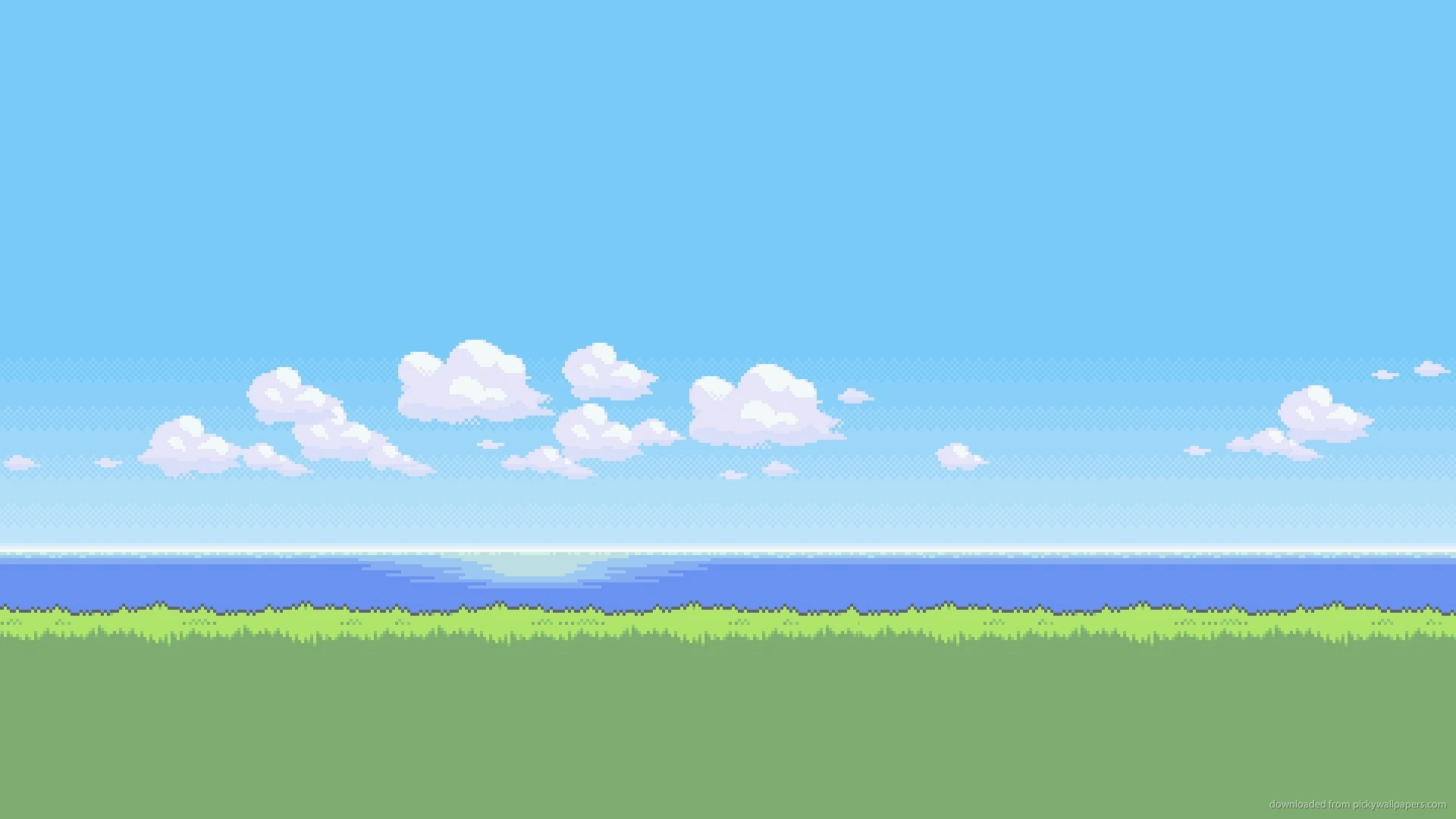
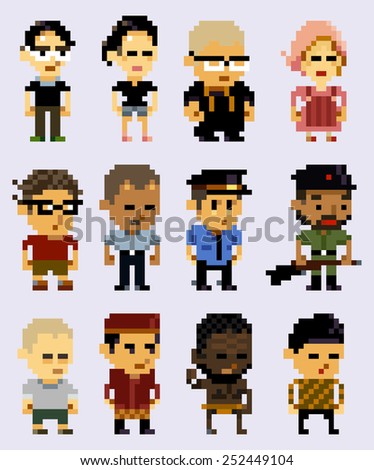
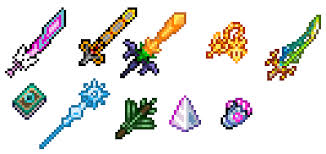
During my project creation I used reference images, these are some of them:



https://www.youtube.com/watch?v=0boZofzJfME
Transitions:
https://www.youtube.com/watch?v=ySpWZfcwwSQ
This specific tutorial was for cutscenes and animation:
https://www.youtube.com/watch?v=fdqGrX1w1z4
There are many parts of the game where I applied my own ideas, especially the graphics.
I think my project proposal was more complicated than I had expected and would've taken a couple more classes to finish, and I was unable to fully finish it.
But I put a lot of effort into the game and graphics, there were drawings and cut scenes that I had finished but was unable to put into my game, such as the title, where I had made a series of drawings and animations to tell the story of the game. But there were other parts of the game which was able to incorporate into my game.
I drew all of the images, sprites, animations and backgrounds, also created the storyline (which I didn't have time to place into the final product, but is present in the sprite and object tabs), and wrote some code by myself, such as adding music, player's life, and having the game restart once the player collided with enemies.
Since I wasn't able to completely finish the game, I hope you are able to mark my game focusing more on the graphics and process, instead of the gameplay and the final product.
20 -graphics and art
10- coding
10- debugging and efforts
During my project creation I used reference images, these are some of them:
Thursday, 14 June 2018
Final Project Journal 9
June 14
I'm finishing the game, and I will hand it in on Monday. Today I worked on coding, and created a couple more sprites and background changes. I'm still following that series, but am making changes to the visuals, and fixed a couple of bugs.
Series: https://www.youtube.com/watch?v=fCeyiEcWRAs
One of the bugs I had was that: when I created the script to change the sprite's direction to move to the left, the image became slim and distorted. To fix this, I multiplied that line of code by 6, so that the image grew to it's regular size rather than shrinking.
Tuesday, 12 June 2018
Final Project Journal 8
June 12
Continued coding the game. I'm following this series on youtube: https://www.youtube.com/watch?v=izNXbMdu348
Since the due date is on Friday, I'll probably spend time on this project after school, because I'm a little behind on my schedule, but I'll try to finish it by Friday. I expect to continue with this same task next class.
I had some problems today with coding, I had added a (+) for the variable's movement, when I should've added * (multiply) instead, so that the object only moves when the keyboard buttons assigned to each movement is pressed.
Final Project Journal 6
June 8
Today I was working in game maker, trying to create the intro and title to my game. But I was having some difficulty with this, I'm not sure if I'll be able to make the game exactly as I had planned, I'll probably have to make some adjustments so that I can finish it by next week. Possibly changes to story, I won't make it too complicated and, and levels, just 1 platform game instead of having various levels.
Links used:
https://www.youtube.com/watch?v=fdqGrX1w1z4
Wednesday, 6 June 2018
Final Project Journal 5
June 6
I began my coding for the game, specifically the movements of my character. Next class I'll continue with the coding in Game Maker.
I experienced some challenge in trying to create the different movements and states of objects, but I think I might not use states for my object because it's not necessary.
Today I used the following video tutorials:
https://www.youtube.com/watch?v=-0bckaBj__M (7:57)
https://www.youtube.com/watch?v=0boZofzJfME&t=37s (6:41)
Final Project Journal 4
June 4
Continued with the sprite sheets, finished them. I'm not sure if I'll add some images in the start of the game. Next class I'll finish up some pixel art and will start to work in game maker. Didn't experience any bugs today.
Used the following links:
https://www.youtube.com/watch?v=5V5CIAmAtRU
https://www.youtube.com/watch?v=0boZofzJfME&t=33s
Thursday, 31 May 2018
Final Project Journal 3
May 31
Today I spent class creating my main character's sprite sheet. I'm almost done, but I think I might have to make some adjustments to my timeline and game so that I'm able to complete the projects in time.
Instead of creating 3 levels, I am thinking of making only 2 levels, or having the first level be an "introduction", so it'll be very simple. I haven't encountered any other difficulties except for time shortage today.
i didn't use many tutorials today, but I looked at many reference images in google, by typing in pixel art. The only tutorial I used was:
https://pyrogoth.deviantart.com/art/Tutorial-50x50-pixel-doll-step-by-step-324216932
Wednesday, 30 May 2018
Final Project Journal 2
May 29
Today I continued with my next plan, to start drawing the sprites and images of my game.
I didn't have any computer or program related issues, but I was a little stuck on the character's
appearance.
I used these video tutorials and reference images:
https://www.youtube.com/watch?v=5ZlEHglOVws&t=203s
https://www.youtube.com/watch?v=o_IWUxd1ps4
https://www.youtube.com/watch?v=8x1dh3TDnss
https://i.pinimg.com/originals/29/e6/e4/29e6e412e9808f383abffd03917e58bf.jpg
https://www.fiverr.com/boochu/draw-a-pixel-chibi-for-you-in-anime-style
Next class, I'll continue on with the animation and visual aspect of my game.
Friday, 25 May 2018
Final Project Journal 1
May 25
Today I completed steps 1 and 2 of my proposal which were to come up with the story, characters, lgameplay and other components of the game. All of the information is written in the proposal.
I haven't made any changes to my initial timeline, and will continue with step 3 ( creating the sprites and images) next class.
I didn't experience any issues or used any videos or tutorials yet, because I haven't actually begun the process of creating the game, but I gave a quick look at the following links:
https://www.youtube.com/watch?v=GECdvBzkaCs
https://www.youtube.com/watch?v=0boZofzJfME
https://www.youtube.com/watch?v=o_IWUxd1ps4
https://www.youtube.com/watch?v=5ZlEHglOVws&t=24s
Final Project Proposal
I wanted to create a pixel game in the software of Game-Maker that involves both pixel animation, coding, and scripting a story.
Software:
Photoshop, Blender (possibly), and Game-Maker
Main Steps:
1. Think of the plot, sprites, settings, and game play (1)
2. Plot how the levels will look like (same day as step 1)
3. Create settings and character in Photoshop (3)
4. Coding (3)
5. Finalise the project and mesh everything into an elaborate game (1)
Resources I intend to use:
Youtube tutorials, such as:
https://www.youtube.com/watch?v=GECdvBzkaCs
https://www.youtube.com/watch?v=0boZofzJfME
https://www.youtube.com/watch?v=o_IWUxd1ps4
Game Idea:
Sam lives in a world where people finally have the technology to control dreams, and many find themselves lost in these incredible alternate realities.
But people begin to have peculiar dreams, and begin to die.
Sam, who also experiences one of these dreams but is able to escape, finds that he/she can go back and forth from dreams to reality and once inside he/she is able to find the cause of the deaths and the "things" which are causing them.
End:
He/she is able to trace the deaths back to a woman who was in control of a medicine factory. She was making certain pills have fragments of "leerus", which is similar to a virus, but instead manifests your head.
Gameplay:
Killing leerus (opponents)
Searching and removing pieces of their fragment from your mind.
A shooting maze game.
Levels: 3
1st- sunset setting
2nd- house setting
3rd- ocean setting (or night?)
Characters:
-Sam (player) {Gender unknown}
-Death of random characters seen by player in phone
-Leerus (enemies in game)
-Woman (medicine factory)
Friday, 11 May 2018
GameMaker - Asteroids - Part C
https://drive.google.com/open?id=1a3obAcy9ABTauTIO3Apxqsvak53eC9Yz
I had some difficulty with the speed of animation for the light I added to the background, but at the end I was able to make it slower by adding the step event, and writing the code: image_speed = 0.3
The changes I made were mostly made on the design, such as the glow on the background and stars, spaceship concept and background. Of course, there was some code I had to make in order for these new objects to work, which were the step and draw events.
Thursday, 3 May 2018
GameMaker - Asteroids - Part B
https://drive.google.com/open?id=1lmUIHFR7GNfQZIhMnI5uhZZAHBJhKeu5
I didn't face any major problems during this part of the assignment. But a small issue I had was creating the code for spawning, which had a typo, but I fixed that after re watching that section of the video once again.
I didn't face any major problems during this part of the assignment. But a small issue I had was creating the code for spawning, which had a typo, but I fixed that after re watching that section of the video once again.
Wednesday, 25 April 2018
GameMaker - Asteroids Part A
File: https://drive.google.com/open?id=1xbbiZp3kyGOkbt4h8reBtuuIFRGjwZEw
I didn't really have any technical difficulties. But I wanted to change the appearance of the sprites, which will probably be more time consuming.
Friday, 6 April 2018
GameMaker - Catch The Clown
Game File:
https://drive.google.com/open?id=1fG2bvHU_1pqEdD9kO-lNR1wloxAwQybg
Quesions:
What difficulties did you have? How did you solve them specifically?
I experienced some difficulty during the last part of the tutorial, when it was time to create the score count. Initially I had added the ``draw score`` to the same event as the music file, but once I tested the game and noticed it wasn`t working I tried adding a new event- draw, this change solved the issue and the score counter appeared on screen.
Friday, 16 March 2018
Blender - Character - Part 2 - Texturing


https://drive.google.com/open?id=1DgRJ-FXdh75-f7hrWLn8qp385IcfevpT
Thursday, 8 March 2018
Blender - Character Modeling - Part 1
https://drive.google.com/open?id=1DgRJ-FXdh75-f7hrWLn8qp385IcfevpT


Thursday, 22 February 2018

Thursday, 15 February 2018
Blender Game Level Modeling - Level 1
Blender file:
https://drive.google.com/open?id=144GlMMr7hbFLKCx93mntHNmhoPcI_ASp

Textures Used:


https://drive.google.com/open?id=144GlMMr7hbFLKCx93mntHNmhoPcI_ASp

Textures Used:


Tuesday, 13 February 2018
Indie Game: The Movie
- What are some of the difference between "big games" and "independent games" in terms of style/concepts and how they are made?
- What are some of the difficulties the developers in the film had to overcome?
- What do you think you would like about working on an indie (independent) game? What do you think you might not like?
- What is some advice you could offer to someone who is trying to create their own game, based on what you learned in the film?
- For the developers, what is the best part of completing the creation of a game?
1. Big industries, don't make personal games, that might be based on emotions or experiences that the creators have, as teams consist of thousands of people, with limited freedom of creativity, and strictly managed roles that everyone has to play in order for these high quality games to be produced.
However, small games tend to be more personal, touching on topics that the small group of creators relate and love. In the movie "Indie Games", it is shown how the producers of Super Meat Boy created the game because of experiences from their childhood.
2. Many faced internal conflicts, such as Depression or anxiety, due to stress, isolation, and the negative comments they received. They also had deadlines, which contributed to these negative emotions.
A major problem many indie designers faced, was the fact that they receive very little recognition, as there are hundreds of games being uploaded in a single day, and some of these include big games, which are highly anticipated and have lot's of advertisements.
3. I think I would enjoy the autonomy I'd have over the design and story of the game.
In this movie, as well as other documentaries and videos, I've perceived that when working in a large company, whether it's animation or game design, you never have the ability to create what you truly want, instead you are limited by numerous factors, such as copyright infringements or censorship. Although, the creativity aspect of being an independent creator is desirable, they also have to face difficulties, like the unknown outcome of their project. They might risk thousands of dollars to create their game, but receive nothing in return. As for a hired designer, you are sure of the pay you'll receive.
4. Be sure to advertise your game before releasing it, know that it's a hard process and that you might not get much money in return, and that being an indie creator requires lot's of work and stress; but is worth it if you truly have a passion for games.
5. Being able to watch all their hard work and time transform into a finished product, that can be played and shared by numerous people. The creators from Super Meat Boy also shared how they enjoy to see the feedback they receive, because they view it as a way of communication.
Although the goal of creating a game is to sell it, many expressed that their main satisfaction, is to be able to connect to their game, and how they made games for themselves, so completing it is a huge personal accomplishment.
Subscribe to:
Posts (Atom)